
Dottybingo App Download and Play on Your Phone
Download the Dottybingo app through dottybingo.eu and play from your phone, with games, payments and profile controls together. Our mobile service is for adults aged 18+ only. Choose an installed version or open our site through a supported browser.
Our App on Your Phone
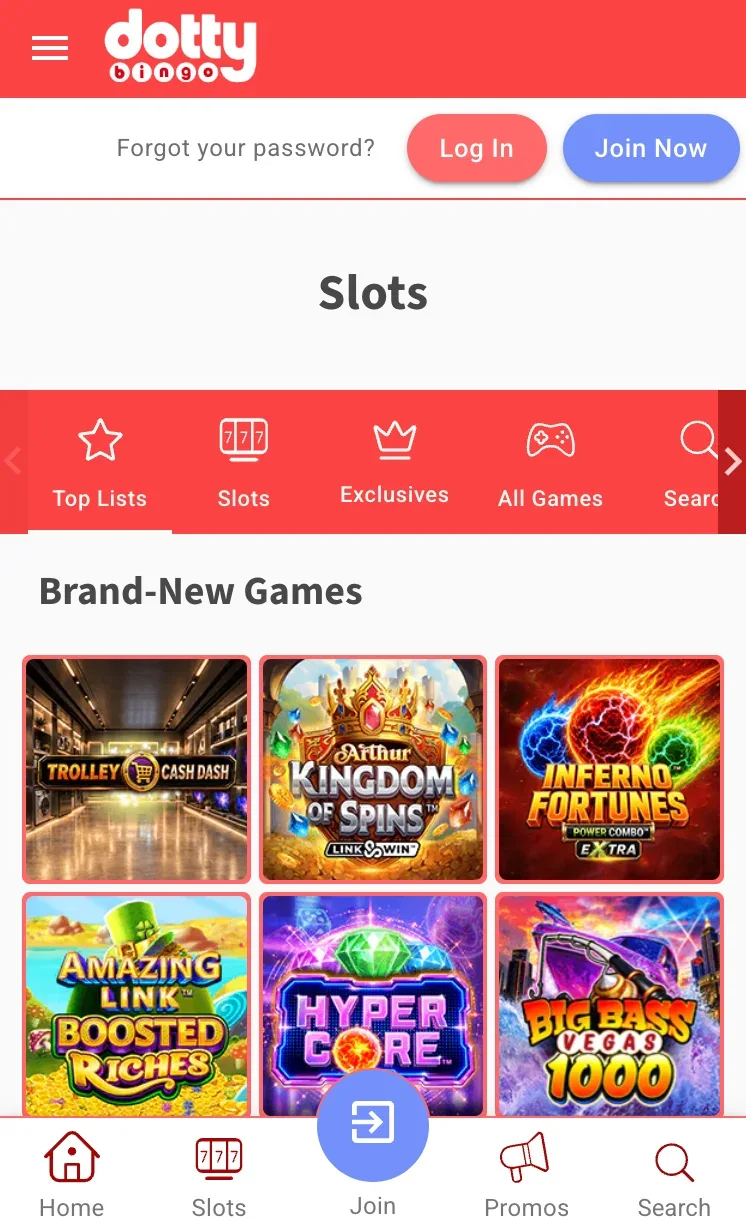
With the Dottybingo app, we bring your login, playing history and wallet into a layout built for smaller screens. One registration serves both our installed application and browser service, so moving between them requires no separate profile. Your existing credentials open both routes. Search helps you find a familiar title without scrolling through every category, while wallet controls keep deposits and withdrawal requests together. Support sits inside navigation rather than interrupting play. Our catalogue count and payment details appear in the features table, where each limit has its own place.
Touch controls let you move between categories with a swipe. Portrait and landscape layouts accommodate different ways of holding your handset.
The Dottybingo app gives you two ways into one service rather than two separate places to manage. An installed version provides a home screen entry; browser access starts with our web address. Neither choice changes how we organise games or handle your wallet. Play when it suits you, treating gambling as entertainment within a budget decided beforehand. That boundary matters more than choosing a particular screen or connection. Before setting anything up, compare your handset with the requirements under Platforms and Requirements. System versions, storage needs and installation times belong there, so you can make that choice without guessing whether enough room remains.
Features of the Dottybingo App
We built the Dottybingo app around finding games, managing funds and reaching assistance without hunting through unrelated screens. Our site uses the same payment limits and processing arrangements. Search stays close to categories, while security has a separate destination, keeping everyday navigation apart from sensitive changes. These are practical shortcuts, not additional registrations or separate wallet arrangements.
| Feature | Where in the App | Details |
|---|---|---|
| Game catalogue | Home screen and Search | 300+ games |
| Deposits | Menu, then Wallet, then Deposit | Visa, Mastercard, Skrill, Neteller; minimum $13; maximum $6,000; credited instantly |
| Withdrawals | Menu, then Wallet, then Withdraw | Minimum 10 GBP; maximum $6,000; processed from a few hours to 2 business days |
| Account and login | Menu, then Preferences, then Security | One registration; identical login details across installed and browser access |
| Support | Menu, then Help, then Contact | support@dottybingo.eu; reply within 24 hours |
| Touch navigation | Any screen | Portrait and landscape layouts; swipe between categories |
Once installed, the Dottybingo app stays ready to open without repeating setup. Browser access needs no installation, but both routes deliver the same playing experience. Choose whichever fits how you use your handset. Deposit and Withdraw remain separate actions, making it easier to distinguish adding funds from requesting a payment when moving through wallet controls.
Platforms and Requirements
Before getting the Dottybingo app, find your system version and available storage. On iPhone or iPad, open Settings, General, then About for software information and iPhone Storage or iPad Storage for capacity. Android lists its version under About Phone and available space under Storage. Those readings let you compare actual capacity with our requirements.
| Device | Minimum Version | Space and Memory | Source | Install Time |
|---|---|---|---|---|
| iPhone and iPad | iOS 15.0 or iPadOS 15.0 | 168 MB | App Store or steps shown on dottybingo.eu | About a minute |
| Android phones and tablets | Android 10.0 | 124 MB; 3 GB RAM | Google Play or file on dottybingo.eu | About two minutes |
| Browser | Chrome, Safari, Firefox | No installation or application storage required | dottybingo.eu | Nothing to install |
For older hardware or limited storage, browser access avoids reserving space for an installed package. Our catalogue remains available through that route. If your system falls below a listed minimum, the Dottybingo app is not the right installation for that handset; use a supported browser instead of trying to force setup.
How to Download the Dottybingo App
Have your login details ready before starting the Dottybingo app download, and reserve the free space listed in our requirements table. On a stable connection, downloading takes about two minutes. Keep that connection active until transfer finishes; installation follows afterwards, so receiving a file does not mean setup has already completed.
- Open dottybingo.eu through your mobile browser and enter our application section. Starting there keeps the platform choices together, rather than requiring you to decide which package matches your handset before opening our site.
- Pick your device type. This separates instructions for iPhone and iPad from those for Android handsets and tablets, so subsequent steps correspond to the software you actually use.
- For iPhone or iPad, continue to the App Store or follow the steps displayed on our site. Let setup finish before opening the new home screen icon.
- For Android, obtain the 124 MB package through Google Play or our site. When using our downloadable file, Android asks once for permission to install from this source; allow that request to complete installation.
- Open your installed application and sign in. Your balance and history are already there, so there is no transfer process to perform before using your existing profile.
The Dottybingo app requests network access to load games and send account actions, plus notifications for alerts you choose to receive. It never requests contacts, photos or location. Notification access serves messages rather than game loading, so those permissions have distinct purposes instead of forming one unexplained request for access.
App Settings Worth Switching On
Inside the Dottybingo app, Preferences groups the controls our players use most. Security already has its own destination there; the remaining choices sit alongside it rather than inside individual games. That arrangement lets you decide how sign-in, alerts and spending boundaries work before settling into a session, instead of interrupting play to locate each control.
- Biometric login: In Security, enable Face ID or fingerprint access. This gives supported hardware a sign-in option based on its biometric controls instead of typing credentials for every visit.
- Push notifications: Open Menu, then Preferences, then Notifications for payout and new game alerts. These are the notification categories available through our mobile settings, keeping their purpose clear before you enable them.
- Deposit limit: Open Menu, then Preferences, then Limits and choose a daily, weekly or monthly budget. Select the period that matches how you plan entertainment spending rather than treating each visit as unrelated.
- Session reminder: Within Limits, choose an interval of 30 or 60 minutes. A timed prompt creates a deliberate pause for considering how long you have been playing.
- Demo mode: Open Menu, then Preferences, then Play Options to select practice play. Every slot supports demo mode, allowing you to explore its controls before deciding whether to use real funds.
- Language and currency: Open Menu, then Preferences, then Display to manage presentation. English and USD provide this page's reading and money references, helping you interpret balances without guessing what a bare amount means.
Spending boundaries belong in the Dottybingo app before play begins, not after a session becomes uncomfortable. Gambling is entertainment, never income. We ask every player to set both a deposit limit and a session reminder before making their first deposit. Our responsible gaming page explains the remaining tools and how they fit together, including why taking a break deserves the same consideration as choosing a game.
Troubleshooting Download and Access Issues
Start with the exact message shown when the Dottybingo app stops responding or refuses installation. A storage warning points somewhere different from a sign-in error. Match that wording to the relevant row rather than changing several settings together, which makes it harder to identify what resolved the problem.
| What You See | Why | What to Do |
|---|---|---|
| Download stops halfway | The connection dropped during transfer | Restart the download using a stable connection |
| “Not enough space” | Available storage is below the package requirement | Remove an unused application through Storage |
| “Install blocked” on Android | Installation from this source has not been allowed | Enable Allow From This Source for the browser used |
| “App not compatible” | The operating system is below our supported minimum | Open dottybingo.eu through a supported browser |
| Application opens then closes | A temporary process error interrupts startup | Restart your device |
| Login works through a browser but not after installation | Saved credentials contain an outdated password | Enter your current password manually |
Browser access remains available while an installed version is being resolved. If the Dottybingo app problem persists, write to support@dottybingo.eu with your phone model, system version and exactly what appeared onscreen. We reply within 24 hours. Include the error wording rather than your password, so our team can investigate without requesting sensitive login information.
Download the Dottybingo App
Our mobile version brings 300+ games together with your existing balance and playing history. Download the native iOS app from the App Store or the Android app from Google Play. Sign in with your existing details, then use search to find games and wallet controls to manage payments. Every slot includes demo mode for exploring its controls before real-money play.
Set your limits before your first deposit.
Last updated: